# Billboard

Billboard is an entity, which one always faces to user

To add Billboard click add button and select Billboard

<figure><img src="https://1307401556-files.gitbook.io/~/files/v0/b/gitbook-x-prod.appspot.com/o/spaces%2FOjaXdLdnzdaSbMhKxKOh%2Fuploads%2F0okndx1LMtmac9XbjJou%2FScreenshot%202022-11-10%20at%2014.46.38.png?alt=media&#x26;token=7d2ff76d-94a6-41e8-83f3-802db017a0b6" alt=""><figcaption><p>Billboard entity creation</p></figcaption></figure>

Next we need to add any other entity as a child to the Billboard. As and an example I will add Model entity

<figure><img src="https://1307401556-files.gitbook.io/~/files/v0/b/gitbook-x-prod.appspot.com/o/spaces%2FOjaXdLdnzdaSbMhKxKOh%2Fuploads%2FjpKosCKcyPmdjNgXyPQC%2FScreenshot%202022-11-10%20at%2014.48.43.png?alt=media&#x26;token=45a7859a-f368-4246-be72-d6491ebf363f" alt=""><figcaption><p>Add child to Billboard</p></figcaption></figure>

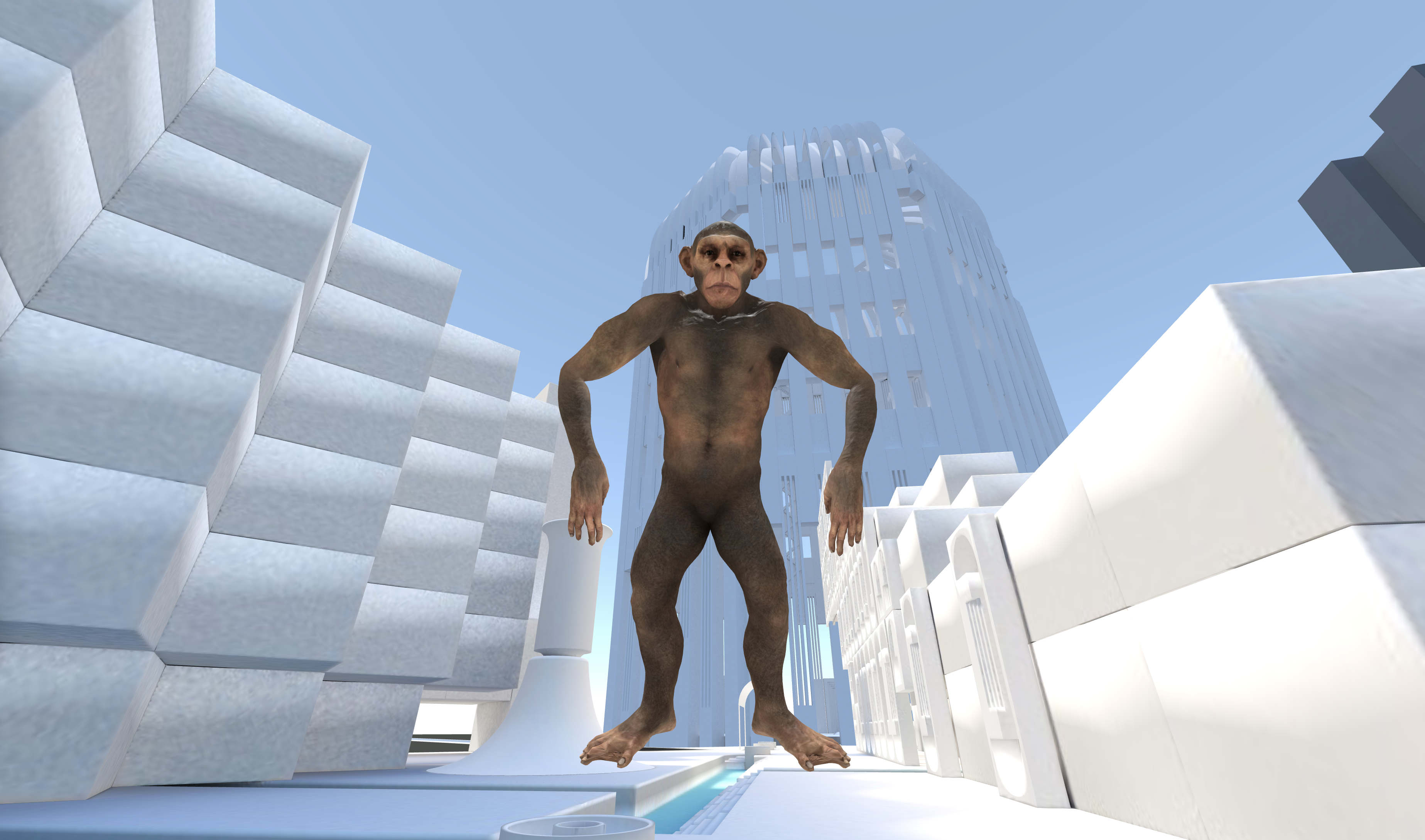
And that's all! Let's check the result

<figure><img src="https://1307401556-files.gitbook.io/~/files/v0/b/gitbook-x-prod.appspot.com/o/spaces%2FOjaXdLdnzdaSbMhKxKOh%2Fuploads%2FoqQLN5dHv72bZzHd6pEp%2FScreenshot%202022-11-10%20at%2014.54.09.png?alt=media&#x26;token=480725c5-6ad2-47b2-a5fe-c7c91d6ac6e4" alt=""><figcaption><p>The monkey is watching you</p></figcaption></figure>

Billboard will rotate wherever you go. It's not a typical case with model. The most common use case is to add Text which one will always face to you.

<figure><img src="https://1307401556-files.gitbook.io/~/files/v0/b/gitbook-x-prod.appspot.com/o/spaces%2FOjaXdLdnzdaSbMhKxKOh%2Fuploads%2FnHaMXuvCDsb7kUvrtuJQ%2FNov-10-2022%2015-13-00.gif?alt=media&#x26;token=07b170cf-cc5d-4d2b-a17c-a1d1c28103e4" alt=""><figcaption><p>Billboard and Text example</p></figcaption></figure>